

Yes, a dashcam live view is practical right now. A 4G/LTE-enabled unit with an active SIM card streams real-time video to your smartphone app, whether the vehicle is parked outside your home or 200 miles away on a motorway. The key decision is whether you need always-connected 4G or whether a phone hotspot is sufficient for your situation.
Before going further, check these four points:
- Connectivity: Always-connected 4G/LTE (SIM in the dashcam) vs. phone hotspot tether (live view only when your phone is nearby)
- Data plan: M2M/IoT SIM with a monthly data allowance for continuous or on-demand streaming
- App access: Manufacturer app on iOS or Android for live stream, event clips, and GPS location
- Thatcham approval: Relevant if your insurer requires or rewards certified devices; check before purchasing
For personal vehicles and motorhomes, a 4G unit with a dedicated SIM is the most practical route. Fleet operators should also confirm ICO/GDPR compliance and installer availability before committing.
Key takeaways
A 4G/LTE dashcam with an active SIM is the only setup that delivers genuine always-connected live view from any location in the UK.
| Point | Details |
|---|---|
| 4G is required for true live view | Wi-Fi and hotspot setups only work when your phone or home network is nearby. |
| Data costs vary by usage pattern | Event-triggered streaming uses under 500 MB per month; continuous 24/7 streaming requires 10 GB or more. |
| UK GDPR applies to fleet use | Businesses must publish a privacy notice, display signage, and pay the £52 ICO annual fee. |
| Retention should be 7–28 days | Routine footage should loop and overwrite within that window; retain incident clips only as long as needed. |
| Thatcham Trackers supplies complete UK solutions | 4G live-view dashcams with installation, Thatcham certification, and tracking integration available nationwide. |
Table of Contents
- What does dashcam live view actually mean?
- How live streaming works: Wi-Fi, hotspot, and always-connected 4G
- How to choose a live-view dashcam: features, questions, and red flags
- SIM cards, data costs, and what to budget for in the UK
- Installation, power, and parking mode in practice
- UK legal and privacy requirements: ICO, GDPR, and insurer expectations
- When is live view worth the extra cost?
- Thatcham Trackers: 4G live-view dashcams for UK owners and fleets
- Sources
- FAQ
What does dashcam live view actually mean?
The term “live view” covers three distinct experiences, and product pages often blur them together.
Live stream is a real-time video feed from the dashcam to your app, typically with a few seconds of latency. You open the app, tap the camera, and see what the lens sees right now. This requires an active data connection on the dashcam side.
Remote clip access is different. The dashcam records to a memory card or cloud storage, and the app lets you download or review those clips remotely. No live connection is needed at the time of viewing, only at the time of upload.
Push notifications are event-triggered alerts: the dashcam detects motion, an impact, or a tamper attempt, and sends a clip or still image to your phone. Fast and data-efficient, but not a live feed.
A dashcam that advertises “remote viewing” may deliver only clip access or push alerts, not a true live stream. Always confirm with the supplier whether the product supports a real-time feed before purchasing.
A short glossary for terms you will see on product pages:
- Live stream: Real-time video transmitted over a data connection
- Parking mode: The dashcam stays active while the engine is off, recording on motion or impact
- 24/7 monitoring: Continuous recording or always-on connectivity, usually requiring hardwiring and a data plan
- Cloud retention: Footage stored on a remote server, not just the local memory card; retention periods vary by supplier
How live streaming works: Wi-Fi, hotspot, and always-connected 4G
Three technical setups enable remote dashcam access, each with different practical limits.
- Phone hotspot tether: The dashcam connects to your smartphone’s mobile hotspot over Wi-Fi. Live view works only when your phone is within range, typically a few metres. Useful for checking the vehicle when you are nearby, but not for remote monitoring from another location.
- Home or garage Wi-Fi: Some dashcams connect to a fixed Wi-Fi network. Live view is available when the vehicle is parked in range of that network. Coverage ends the moment the vehicle leaves the driveway.
- Embedded 4G/LTE with SIM: The dashcam contains its own SIM card and connects directly to a mobile network. Live view is available anywhere with mobile coverage, at any time, regardless of where your phone is. This is the setup that delivers genuine always-connected remote monitoring.
The backend matters too. Most 4G dashcams route video through the manufacturer’s cloud platform before it reaches your app. Latency is typically a few seconds, which is acceptable for monitoring but not for real-time driving assistance. Security practices vary between manufacturers, so it is worth asking where footage is stored and how access is controlled.
Live view is unavailable in three common scenarios: the vehicle is in an area with no mobile coverage, the dashcam has entered a low-power sleep state to protect the vehicle battery, or the manufacturer’s cloud service is offline.
Pro Tip: If you park regularly in a basement car park or rural area with poor signal, confirm the dashcam’s offline behaviour. A good unit will buffer locally and resume streaming when coverage returns, rather than losing footage entirely.
How to choose a live-view dashcam: features, questions, and red flags
A feature list on a product page is a starting point, not a guarantee. Use this checklist when evaluating any live-view dashcam.
Features to confirm:
- Embedded 4G/LTE module with SIM slot (not just Wi-Fi)
- GPS location tracking alongside the video feed
- Parking mode with motion and impact triggers
- Tamper alerts sent to the app
- Two-way audio (useful for fleet driver communication)
- Cloud retention policy with a stated retention period
- Thatcham approval, where required by your insurer
Questions to ask the supplier:
- Who supplies the SIM, and what are the monthly data costs?
- Where is video stored: on-device, manufacturer cloud, or third-party server?
- Can you isolate and export a specific incident clip for insurance or police use?
- Who installs the unit, and is there a UK-based support contact?
- What is the warranty period and what does it cover?
Red flags to watch for:
- Live view described as working “over Wi-Fi only” with no SIM option
- Vague retention policy with no stated overwrite period
- No clear process for handling Subject Access Requests (SARs) under UK GDPR
- No UK installer network or after-sales support
The retail market for dashcams marketed with live-streaming features is large, and not all products deliver what the packaging implies. Vetting the supplier’s answers to the questions above separates a reliable system from one that will frustrate you within weeks.
SIM cards, data costs, and what to budget for in the UK
Running costs for a 4G live-view dashcam depend on how you use it.
Continuous streaming at HD resolution from a single front-facing camera uses considerably more data than event-triggered clips. A front-plus-cabin camera setup doubles that figure. Most commercial deployments use M2M (machine-to-machine) or IoT SIMs rather than standard consumer SIMs, because M2M tariffs are designed for low-power, always-on devices and typically offer better rates for the usage pattern involved.
For most personal owners, on-demand live view triggered by an alert uses a fraction of the data that continuous streaming would require. Choosing a dashcam that supports event-triggered streaming rather than always-on video can reduce monthly data costs substantially.
Typical plan structures in the UK market look like this:
Beyond the SIM cost, factor in cloud storage fees if the supplier charges separately for remote footage retention. Businesses must also account for the ICO data-protection fee, which for most small businesses is £52 per year.
Installation, power, and parking mode in practice
A dashcam that loses power when the engine stops cannot monitor a parked vehicle. Solving that requires one of three fitment approaches.
- Hardwired permanent power: The dashcam connects directly to the vehicle’s fuse box via a hardwire kit. A voltage cut-off circuit protects the vehicle battery by shutting the dashcam down when battery voltage drops below a set threshold, typically around 12V. This is the most reliable setup for parking mode.
- Two-wire long-life connection: A simplified hardwire using the vehicle’s accessory circuit. The dashcam powers on with the ignition and off when the engine stops. No parking mode, but straightforward to fit and suitable for drivers who only need live view while driving.
- Dedicated parking power module: An add-on battery or capacitor module that powers the dashcam independently of the vehicle battery. Provides parking mode without any risk of battery drain, at additional cost.
Step-by-step activation timeline from purchase to live stream:
- Order the dashcam unit and confirm installation availability with the supplier
- Book a mobile or workshop installation appointment
- Installer fits the unit, connects power, and positions cameras
- Activate the SIM card (supplied by the installer or the dashcam manufacturer)
- Download the manufacturer’s app and create an account
- Pair the dashcam to the app using the device ID or QR code
- Test live view: open the app, select the camera, confirm the feed is live
- Verify parking mode by triggering a motion event and checking the alert arrives
Pro Tip: Ask the installer to demonstrate live view on your phone before they leave. A five-minute test at the point of fitment catches SIM activation issues and app pairing problems before you need the system in a real situation.
UK legal and privacy requirements: ICO, GDPR, and insurer expectations
Dashcam footage of identifiable faces and number plates is personal data under UK GDPR. Private individuals using a dashcam solely for personal use benefit from the household exemption, but that exemption ends the moment footage is shared commercially or used in a business context.
Fleet operators have no household exemption. ICO guidance on vehicle surveillance is clear that inward and outward-facing cameras can be intrusive, and that fleet use requires a documented lawful basis and transparent processing. Relying on legitimate interests is common, but it requires a completed Legitimate Interests Assessment (LIA).
For businesses, the ICO’s dashcam guidance for small organisations sets out three practical requirements: tell people they are being recorded (signage in vehicles), publish a privacy notice explaining how footage is used, and register with the ICO and pay the annual data-protection fee, which is typically a modest annual charge for most small businesses.
Retention is governed by the Storage Limitation principle. SecureRedact’s fleet guidance recommends routine footage be looped and overwritten within 7–28 days, with incident clips retained only as long as necessary for a claim or investigation. Subject Access Requests are legally enforceable; fleet operators should have a documented SAR process in place, including use of the “stop the clock” provision for clarification requests.
Legal commentary from Lexology reinforces the same principle: configure dashcams with privacy-friendly defaults, avoid indefinite retention, and be transparent about processing to reduce regulatory risk.
On the insurance side, a Thatcham-approved unit with a professional installation certificate signals to insurers that the device meets an independently verified standard. Some insurers require this; others offer premium reductions for it. The 2026 fitment guide from Thatcham Trackers covers insurer expectations in detail.
Pro Tip: Keep a copy of the installation certificate and the Thatcham approval reference in the vehicle documentation. Insurers may request both when processing a theft or incident claim.
When is live view worth the extra cost?
Live view adds cost: a higher device price, a monthly SIM plan, and potentially a cloud storage fee. Whether that cost is justified depends on the use case.
For fleet operators, the operational value is not continuous monitoring but rapid incident triage. When a driver reports a collision, a fleet manager can open the app and review the live or recent feed within seconds, rather than waiting for footage to be manually retrieved. Asset recovery is another strong case: a stolen vehicle with an always-connected dashcam gives recovery teams a real-time location and a live view of the interior. Driver coaching based on live or near-live footage is a third application, particularly for new drivers or high-risk routes.
For private owners, the calculus is different. A high-value car, a motorhome left on a site for weeks, or a vehicle parked in a high-theft area all represent scenarios where remote monitoring delivers genuine peace of mind. The ability to check a parked vehicle from a phone, receive a tamper alert, and see live footage within seconds is a meaningful deterrent and a practical response tool.
Where live view is likely overkill: a commuter vehicle parked in a secure workplace car park, a low-value car in a low-theft area, or any situation where the driver is always present. In those cases, a standard dashcam with cloud clip upload on impact is sufficient and considerably cheaper to run.
Thatcham Trackers: 4G live-view dashcams for UK owners and fleets
For UK buyers who want a live-view dashcam that satisfies insurer requirements without sourcing components separately, Thatcham Trackers supplies 4G dashcam units with remote live view and tracking integration as a complete package. The range includes an internal driver camera option for fleet and commercial use, tamper alerts, GPS location tracking, and parking mode, all accessible through a single app.
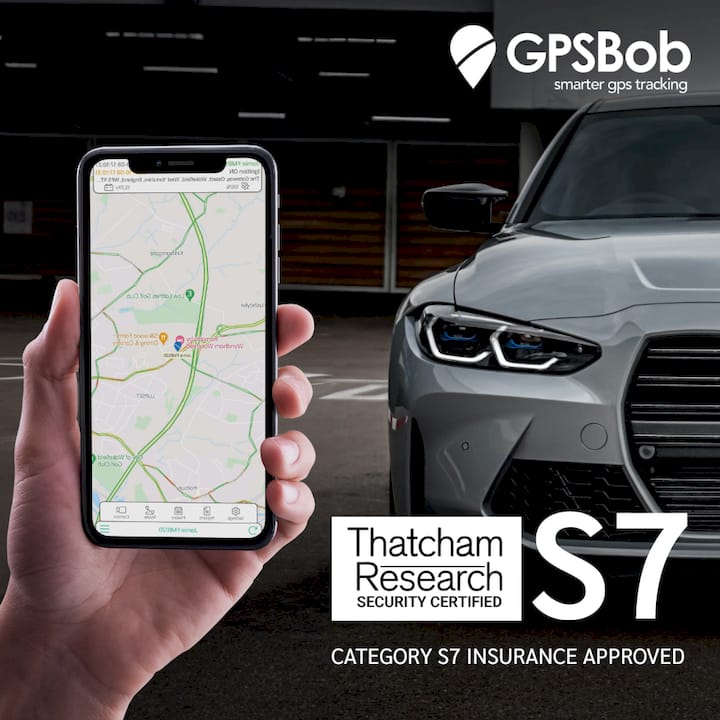
Installation is handled by a nationwide mobile fitting service, so the unit is hardwired correctly and the SIM activated before the installer leaves. The Thatcham approval certificate is provided with the unit, which is the document insurers ask for. For buyers who want long-term tracking alongside live view, the 4G dashcam with five-year tracking bundles both into one purchase.
To get started, browse the Thatcham-approved tracker range, select the dashcam configuration that fits your vehicle, and book a mobile installation at checkout. Live view will be active and tested before the appointment ends.
Sources
- Dashcams and UK GDPR: what small businesses need to know | ICO
- Dashcam privacy in the UK: GDPR, data requests and fleet obligations — SecureRedact
- Lexology commentary on dashcam use and privacy best practice
FAQ
Can you watch your dashcam live from your phone?
Yes, provided the dashcam has an embedded 4G/LTE module and an active SIM. Open the manufacturer’s app, select the camera, and a real-time feed appears within a few seconds.
Can a dashcam be viewed remotely when the car is parked?
Yes, if the dashcam is hardwired with a voltage-protection circuit and has an active data connection. The unit stays on in parking mode and streams on demand or sends motion-triggered alerts to your app.
Do you need to tell your insurer about a dashcam?
You are not legally required to declare a dashcam to your insurer, but doing so is advisable. A Thatcham-approved unit with a professional installation certificate can support a claim and, with some insurers, reduce your premium.
Does UK GDPR apply to dashcam footage?
For private individuals using footage solely for personal purposes, the household exemption applies. Businesses and fleet operators have no such exemption: footage of identifiable people is personal data, and ICO registration, a privacy notice, and in-vehicle signage are all required.
What is the difference between live view and cloud storage on a dashcam?
Live view is a real-time stream from the dashcam to your app. Cloud storage is where recorded footage is saved remotely after the event. A good 4G dashcam provides both: live access when you need it and stored clips for evidence after an incident.