

A car tracker subscription is the active service plan that enables your GPS device to transmit live location data to your smartphone or web portal. Without a paid subscription, the hardware in your vehicle is silent. It collects nothing and sends nothing. This guide covers every step of the vehicle tracking setup process, from gathering your device details to confirming your first live position update. Whether you drive a daily car or a motorhome that sits parked for weeks, Thatcham-approved trackers such as GPSBob and UBITracer follow the same core activation sequence.
What do you need before starting your car tracker subscription setup?
Preparation is the single biggest factor in a smooth activation. Arriving at the setup process without the right information adds unnecessary delays and increases the chance of pairing errors.
Items to have ready before you begin:
- Your tracker device (GPSBob, UBITracer, or equivalent Thatcham-approved unit)
- The device IMEI number (printed on the box or the tracker body)
- Your vehicle registration and make or model details
- A smartphone with iOS or Android capable of running the official tracking app
- A valid payment method for your chosen subscription plan
- A stable mobile signal or Wi-Fi connection during setup
Vehicle and environment checks:
| Check | Why it matters |
|---|---|
| OBD2 port location | Plug-and-play trackers connect here; confirm it is accessible under the dashboard |
| Cellular coverage at your location | Poor signal delays the initial GPS fix and LED confirmation |
| Battery condition | Hardwired trackers draw constant low power; a weak battery causes false offline alerts |
| Compatibility with tracker firmware | Some trackers require a minimum vehicle year; confirm before purchasing |
Verify that your vehicle has adequate cellular coverage in the area where you plan to complete the setup. GPS initial fix typically takes 2 to 5 minutes, so outdoor or open-sky conditions speed up the process considerably. Completing these checks before touching the app saves you from troubleshooting steps that are entirely avoidable.
Pro Tip: Write your IMEI number on a piece of paper before starting. The number is often printed in small font and located in a spot that becomes inaccessible once the tracker is installed.
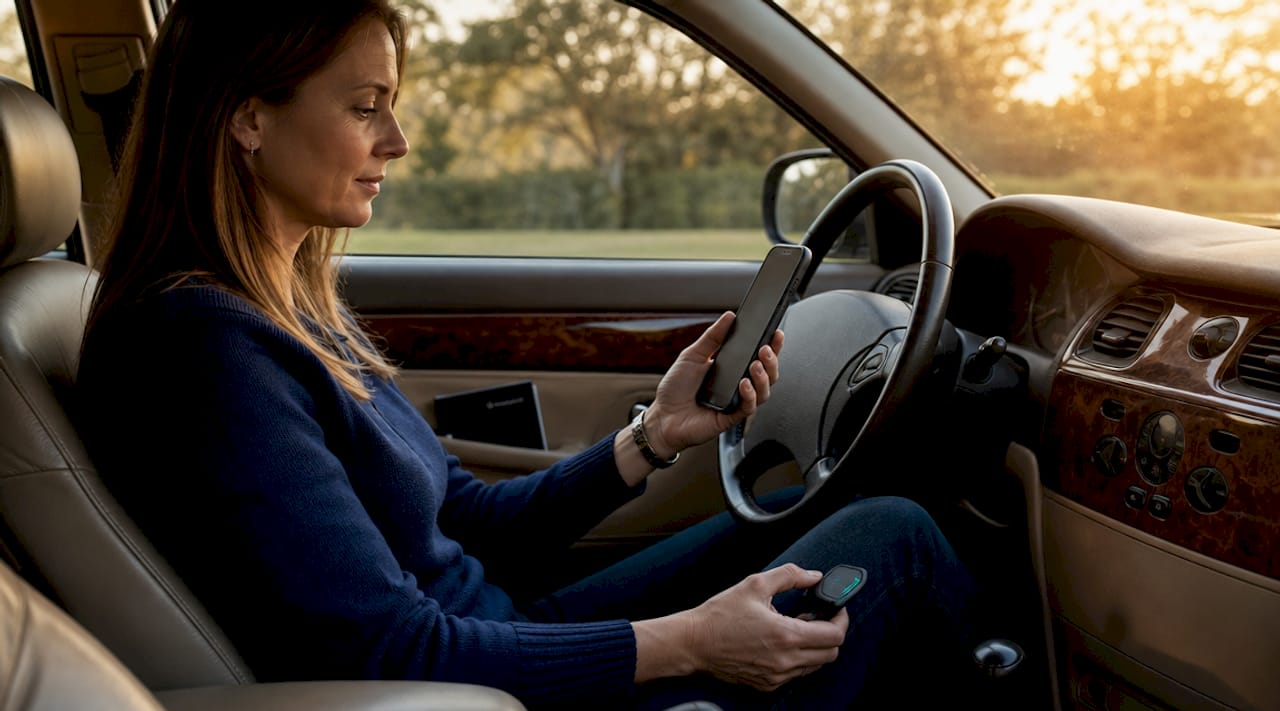
How do you download, register, and pair your tracker with the app?
The app is the control centre for your entire tracking experience. Every subscription plan, alert setting, and live map view runs through it, so getting the pairing right is non-negotiable.
- Download the official app. Search for the app name specific to your device. GPSBob uses the GPSBob app; UBITracer devices use the UBITracer platform. Download only from the Apple App Store or Google Play Store to avoid unofficial versions.
- Create your account. Enter your email address, set a strong password, and verify your email before proceeding. Some platforms also require a phone number for SMS alerts.
- Add your device. Inside the app, select “Add Device” or the equivalent option. You can scan the QR code on the tracker body or type the IMEI manually. The IMEI is the unique identifier that links your physical hardware to your account.
- Name your device. Label it clearly, for example “Ford Transit 2023” or “Motorhome.” This matters if you manage multiple vehicles on one account.
- Confirm the pairing. The app will show the device as “pending” or “offline” until the tracker is powered and has a cellular signal. This is normal at this stage.
Activation success is confirmed by specific LED behaviour on the device combined with the app showing the unit as online. Do not assume pairing is complete just because the IMEI has been accepted. The device must also be powered and within cellular range.
Pro Tip: If the app rejects your IMEI, check for the letter “O” versus the number “0” and the letter “I” versus the number “1”. These are the most common manual entry errors.
How do you choose and activate your subscription plan?
Subscription plans typically range from basic hourly position updates to elite one-minute refresh rates, with costs running from approximately £5 to £30 per month depending on features and update frequency. The plan tier you choose directly affects how useful the tracker is in a theft situation.
Key plan types to compare:
- Basic or Home plan. Hourly updates. Suitable for low-risk vehicles or budget-conscious owners who primarily want recovery assistance rather than live monitoring.
- Standard or Professional plan. Updates every 10 to 30 minutes. Covers most daily drivers and includes geo-fence alerts and trip history.
- Elite or Enterprise plan. Updates every 1 to 5 minutes. Recommended for high-value vehicles, motorhomes, and anyone who needs near-real-time visibility.
| Plan tier | Update frequency | Typical monthly cost | Best suited for |
|---|---|---|---|
| Basic or Home | Hourly | £5 to £10 | Low-risk or parked vehicles |
| Standard or Professional | 10 to 30 minutes | £10 to £20 | Daily drivers |
| Elite or Enterprise | 1 to 5 minutes | £20 to £30 | High-value cars, motorhomes |
Annual payment saves 30 to 50 per cent compared to monthly billing, and most modern providers offer no-contract terms with no activation fees. That flexibility means you can start on a monthly plan, test the service, and switch to annual billing once you are satisfied. The active subscription pays for cellular data, SIM operation, server hosting, and alert infrastructure. Without it, the tracker cannot transmit live data to your phone or app under any circumstances.
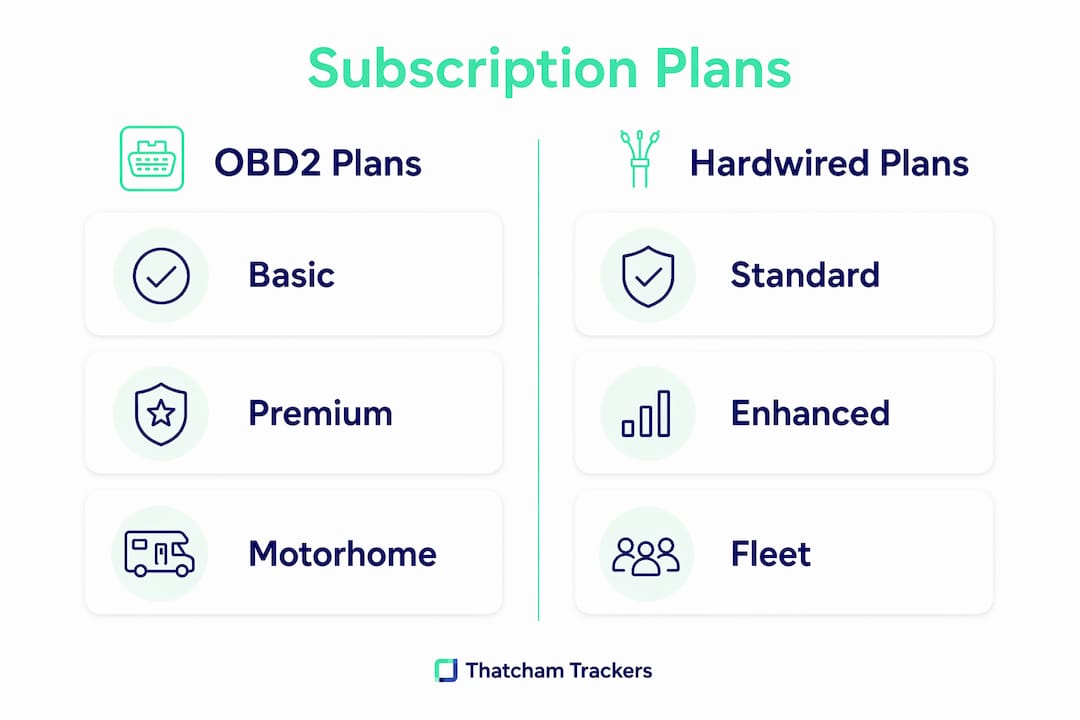
To purchase, navigate to the subscription section within your tracking app, select your plan, and complete payment using a credit or debit card. Most platforms store your card details for automatic renewal, which prevents accidental service lapses.
Pro Tip: Choose the plan that matches your actual risk profile, not the cheapest option. A motorhome parked on a remote site for two weeks needs one-minute updates far more than a car that sits in a locked garage overnight.
How do you verify your tracker installation and subscription status?
Confirming that your tracker is working is a two-step process, and skipping either step is the most common mistake new users make. Treat installation success as two separate milestones: first, that the hardware is physically connected and powered, then that it is properly transmitting data to the tracking platform.
Step one: check the LED indicators.
- A solid or slowly flashing green LED typically confirms cellular registration.
- A blue or separate LED confirms GPS signal acquisition.
- A rapidly flashing or red LED indicates a fault, usually a missing SIM signal or power issue.
Step two: confirm data in the app.
Open your tracking app and check the device status. It should show as “online” with a location marker on the map. GPS signal acquisition takes 2 to 5 minutes from a cold start, so allow that time before concluding there is a fault. Test the ignition alert by starting and stopping the engine and confirming the app registers the event. Set a geo-fence around your home address and verify the alert fires correctly.
If the device shows as offline after 10 minutes, check the following in order: confirm the subscription payment has processed, verify the IMEI matches the device registered in the app, and check that the tracker has a clear view of the sky for GPS acquisition. For two-step verification, confirm cellular registration via LEDs first, then confirm GPS data upload in the app. Skipping the data upload check is the most frequently reported user error across GPS tracker support forums.
You can also check the insurance approved tracker best practices guide for additional verification steps specific to Thatcham-certified devices.
Hardwired vs OBD2: which installation suits your vehicle?
The installation method you choose affects battery drain, concealment quality, and whether the tracker functions when the engine is off. These factors matter significantly for motorhome owners with extended parked periods.
| Feature | OBD2 plug-and-play | Hardwired |
|---|---|---|
| Installation time | Under 5 minutes | 30 to 90 minutes |
| Technical skill required | None | Basic electrical knowledge |
| Concealment | Visible under dashboard | Hidden behind trim or panels |
| Tamper resistance | Low (easily removed) | High |
| Works with engine off | Depends on OBD2 port power | Yes, with constant power wire |
| Best for | Daily drivers, self-installation | Motorhomes, high-value vehicles |
OBD2 installations take under 5 minutes and require ignition on with engine off for LED confirmation. They are ideal for self-installation or situations where you need to move the tracker between vehicles. Hardwired installations offer better concealment and tamper resistance but require electrical knowledge, including disconnecting the battery, wiring to constant power, ignition feed, and earth.
For motorhome owners, choosing the installation method directly affects whether the tracker functions during long stationary periods. A hardwired tracker connected to a leisure battery with a low-power sleep mode is the preferred configuration for extended parking. For guidance on placement and concealment, the hidden tracker installation guide from Thatcham Trackers covers specific locations that balance signal quality with concealment.
Pro Tip: If you are fitting a hardwired tracker yourself, always disconnect the negative battery terminal before touching any wiring. A short circuit during installation can damage the vehicle’s ECU, which is an expensive repair.
Key takeaways
A successful car tracker subscription setup requires correct device pairing, an active plan, and confirmed data transmission before the vehicle is considered protected.
| Point | Details |
|---|---|
| Prepare before you start | Have your IMEI, vehicle details, and payment method ready before opening the app. |
| Pair device correctly | Use the official app and confirm pairing via LED status, not just IMEI acceptance. |
| Match plan to usage | Choose update frequency based on your actual risk profile, not the lowest price. |
| Verify in two stages | Confirm LED status first, then confirm live data in the app before considering setup complete. |
| Choose installation wisely | Hardwired suits motorhomes and high-value vehicles; OBD2 suits daily drivers needing flexibility. |
Our view on getting tracker setup right
At Thatcham Trackers, the most consistent issue we see is users who complete the physical installation and assume the job is done. The tracker is in the car. The app is downloaded. But the subscription has not been activated, or the device is showing offline because the payment failed silently on renewal. The vehicle is unprotected, and the owner does not know it.
The preparation stage is where most problems originate. Users who arrive at setup without their IMEI, or who attempt to pair the device indoors with no cellular signal, create problems that take three times as long to resolve as the original setup would have taken. Thorough preparation is not optional.
For motorhome owners specifically, the choice between hardwired and OBD2 deserves more attention than it typically receives. An OBD2 tracker in a motorhome parked for two weeks may lose power entirely if the port is not live when the ignition is off. A hardwired unit connected to a dedicated circuit with a sleep mode preserves battery life and maintains tracking. That distinction is the difference between a tracker that works and one that gives a false sense of security.
The subscription plan choice also matters more than most guides acknowledge. Hourly updates are adequate for a car in a locked garage. They are not adequate for a motorhome on a remote campsite. One-minute updates cost more, but the recovery window in a theft scenario is measured in minutes, not hours.
— Thatcham Trackers
Get your Thatcham-approved tracker set up today
Thatcham Trackers supplies insurance-approved trackers certified by Thatcham Research, the UK’s central automotive risk intelligence organisation. Every device in the range comes with a clear subscription path, flexible monthly or annual plans, and no-contract terms.
The GPSBob range includes Thatcham S5 and S5 Plus options, each with a free Home Plan included and the option to upgrade to Professional or Enterprise tiers directly within the app. Setup follows the exact steps covered in this guide. Browse the full range at Thatcham Trackers and select the device and plan that matches your vehicle and usage pattern.
FAQ
What is a car tracker subscription?
A car tracker subscription is a recurring service plan that pays for the cellular data, SIM operation, and server infrastructure required to transmit live location data from your tracker to your app. Without an active subscription, the hardware cannot send any data.
How long does the initial GPS fix take?
The initial GPS fix typically takes 2 to 5 minutes from a cold start. Completing setup outdoors or in an open-sky location speeds up acquisition and reduces the chance of a false offline reading.
Can I change or cancel my subscription plan?
Subscription plans can typically be upgraded or cancelled at any time, with most modern providers operating on no-contract terms and no cancellation penalties.
Is OBD2 or hardwired installation better for a motorhome?
Hardwired installation is recommended for motorhomes because it provides tamper resistance, better concealment, and continued tracking when the engine is off. An OBD2 tracker may lose power during extended parking if the port is not live with the ignition off.
Do Thatcham-approved trackers require a subscription?
Yes. Thatcham-approved trackers require an active subscription to transmit live data. The Thatcham certification covers the hardware and security standard; the subscription activates the live tracking and alert functionality that insurers and owners rely on.